Is there a way to remove this watermark without disabling the photo ambient wallpaper?
Not with Cleanmark if the label appears only on the lock-screen display and is absent from the photo file. Cleanmark edits pixels in an uploaded image; it cannot change a phone's wallpaper interface. If the original file has no label, there are no watermark pixels for this image tool to repair.
Why the image file and the lock screen can differ
The question here describes a label that appears while Photo Ambient Wallpaper is active. Samsung's support guide describes Photo Ambient Wallpaper as changing a selected wallpaper in response to time and weather. That confirms the feature changes how a wallpaper is presented; it does not document a setting for hiding this particular label. We therefore do not promise a toggle or give device-specific menu steps.
What our controlled layer test showed
We made a test wallpaper file, then displayed the words “AI Generated Content” as a separate HTML layer above it. The words were not drawn into the PNG. We uploaded the unmarked PNG to Cleanmark and tried its automatic edge repair. It reported that no clear edge mark was found, said that no pixels changed, and offered the brush path. The original PNG's dimensions and file hash stayed the same.
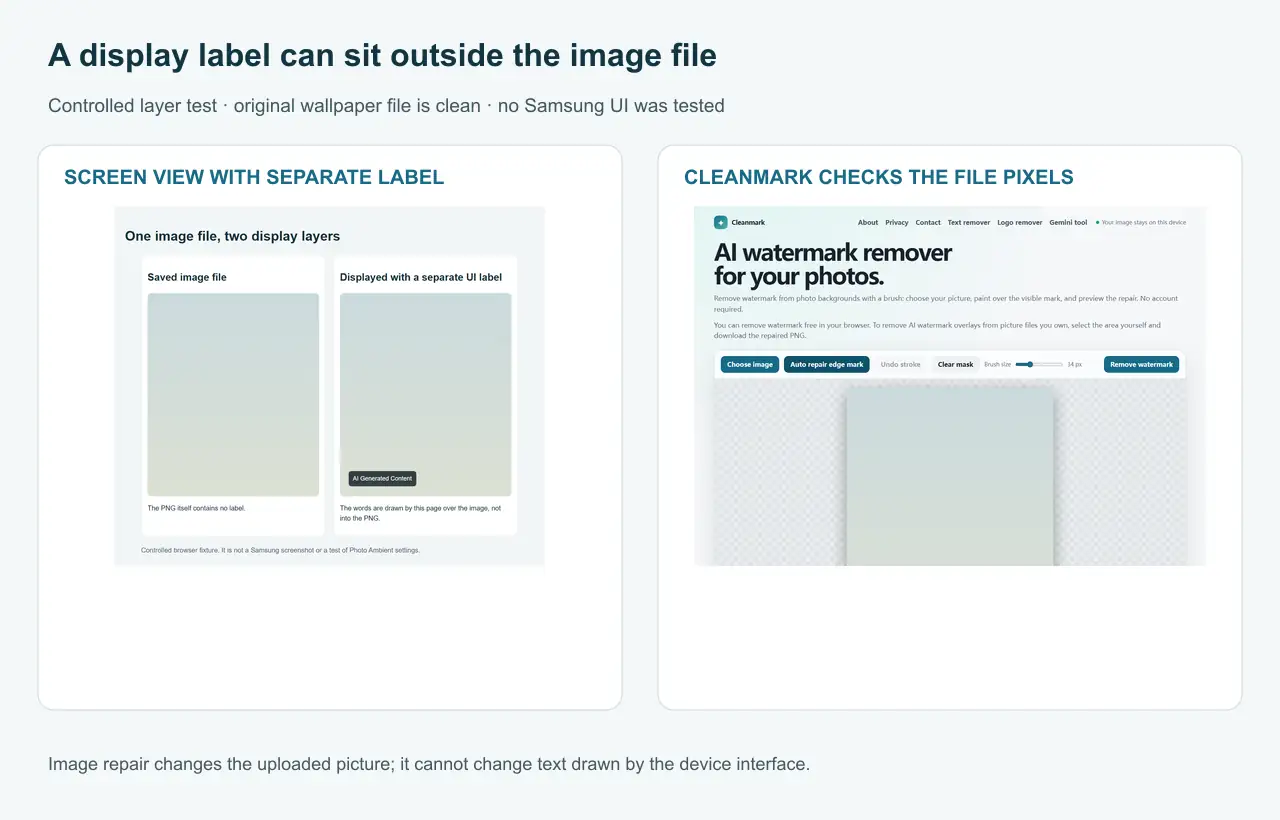
Original diagram and test screenshots made for this page. This is a controlled browser test, not a Samsung-device screenshot or a test of Samsung settings.
This result is narrow: it shows that Cleanmark cannot detect a label that is outside the uploaded picture pixels. It does not establish how every phone renders Photo Ambient, and it does not identify a way to keep the feature on while hiding the label.
Three checks before using an image remover
- Find the original photo file, rather than a lock-screen screenshot.
- View that file in a separate image viewer. Check whether the same words are actually visible in the saved pixels.
- If the words appear only on the lock screen, use the phone's wallpaper controls or current device guidance. An image watermark remover cannot change that display layer.
If the text is burned into a saved image or screenshot: Cleanmark can let you select visible pixels with its brush and attempt a nearby-pixel repair. It does not restore covered detail, and a repair can leave a visible patch. Use a copy of an image you own or have permission to edit, keep the original, and inspect the result before downloading.
Open Cleanmark's browser image tool
For another distinction between image pixels and non-visible provenance data, see our watermark and provenance explanation.
- Samsung Support: How to use the Weather app on your Galaxy phone — Photo Ambient Wallpaper overview.
- Original Photo Ambient wallpaper question and discussion.