Does anyone know if there is any way to salvage photos without ruining the quality too badly?
Ask for the licensed clean originals first. If a photographer or proof service placed the watermark, buying or obtaining the authorized files is the only route that preserves the real facial detail hidden beneath it. A crop can avoid changing pixels when the mark is at an expendable edge. A manual repair can cover a small mark on an image you have permission to edit, but it estimates replacement texture; it does not reveal the original face.
Choose the least damaging route
What our face-crossing test showed
We generated and own a 160 × 120 vector portrait, placed an artificial “PROOF TEST” band across the eyes and nose, and made the selection in a browser and replayed the current Cleanmark nearby-pixel repair function on that mask. The PNG export remained 160 × 120. The controlled replay changed 639 pixels inside the 898-pixel mask and zero pixels outside it.
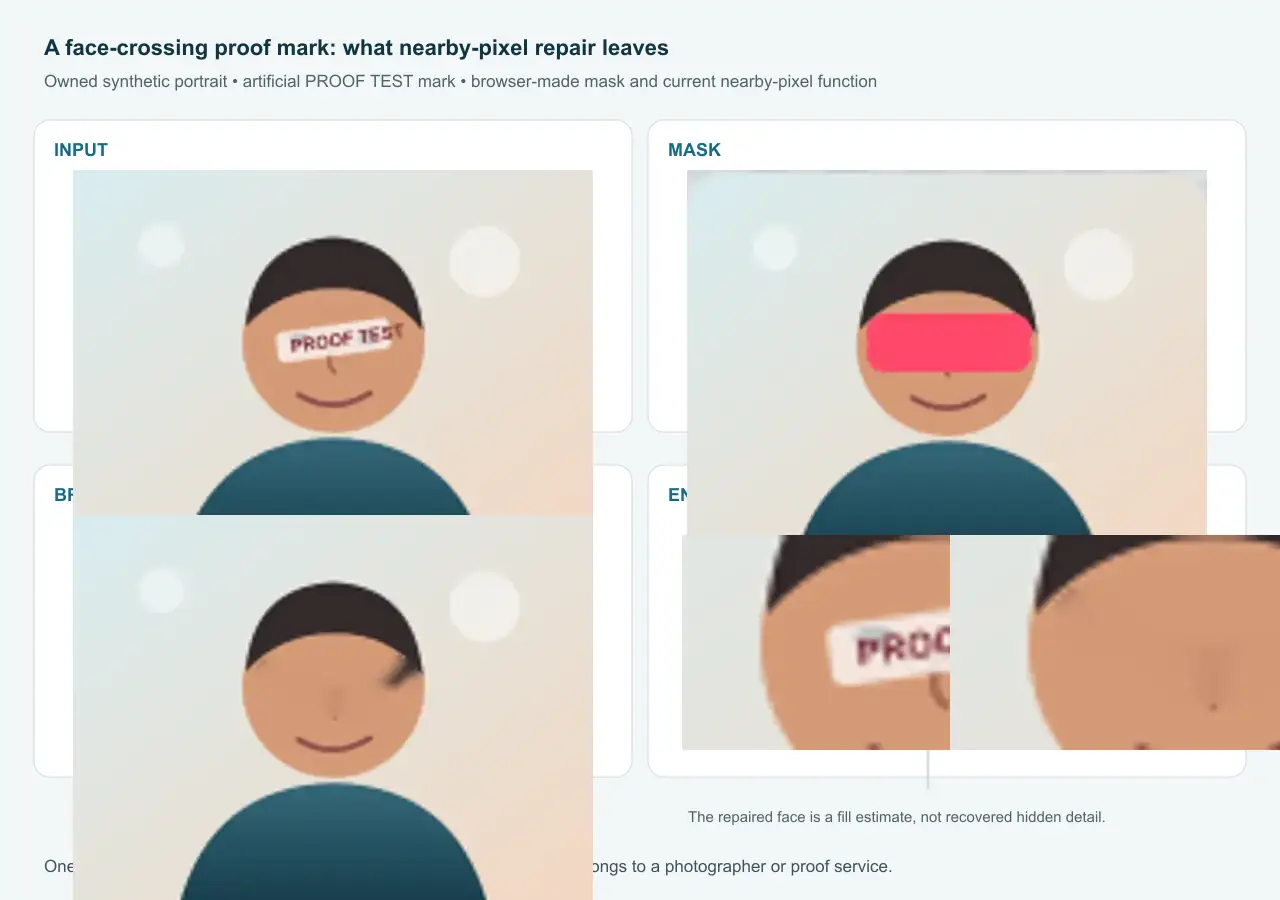
Owned synthetic fixture and controlled output from the browser-made mask and current fill function. The WebP evidence image is 26,042 bytes. The test mark is artificial; no wedding proof or community image was reused.
Because this is a controlled fixture, we can compare the repair with the clean portrait that existed before the test mark. That comparison is available only to us as the test creator. A real opaque watermark removes access to the covered pixels in the file you receive. Similar-looking fill is not proof that the hidden eyelashes, skin edges, or expression were recovered.
How to evaluate a permitted repair
- Duplicate the marked file and keep the untouched copy.
- Check whether the mark can be cropped without cutting a face or changing the intended composition.
- If you have permission to edit, paint the smallest possible mask over the visible mark.
- Inspect eyes, mouth edges, hair, jewelry, text, and sharp borders at full size.
- Reject the repair if those features smear, repeat, or shift shape.
Cleanmark’s limit: it fills the painted area from nearby pixels and does not run a generative model. The result may hide a small visible layer, but a mark crossing a face or other important detail can leave blur, repeated color, or an invented edge. It cannot reconstruct the actual covered feature.
This page answers the quality question with one owned synthetic test. It does not evaluate a wedding photographer, determine who owns a disputed file, or promise that another photo will behave the same way.