Would it be possible to retain the same quality?
You cannot promise unchanged quality after an edit. If you mean keeping the original pixel dimensions, Cleanmark keeps them only when the input fits its 2400-pixel long-side limit. Larger images are proportionally reduced before editing. A PNG download does not undo that reduction or prove that repaired detail matches the original.
This answer is about resolution lost during upload and editing. It is separate from whether a smaller file contains fewer bytes. A central visible mark still needs the manual brush; automatic edge detection is not a solution for it.
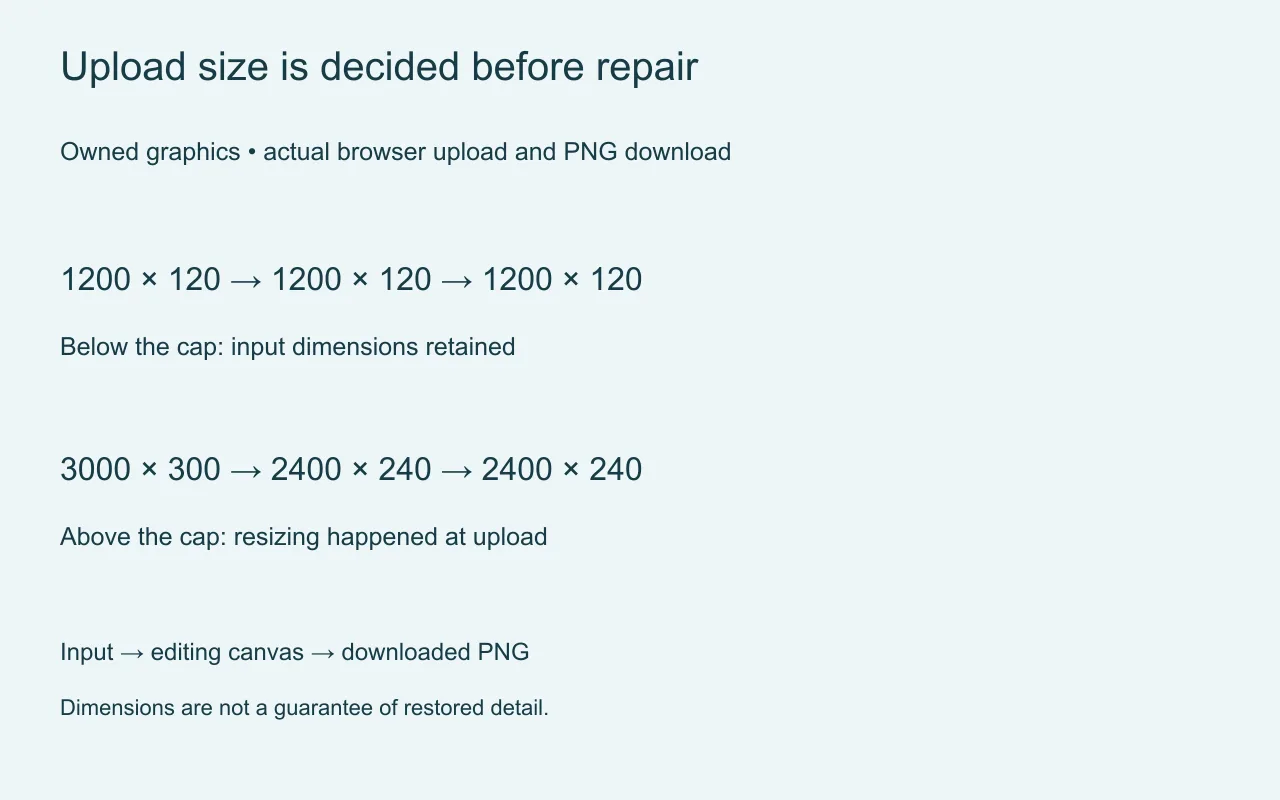
| Input pixels | Editing canvas | Downloaded pixels |
|---|---|---|
| 1200 × 120 | 1200 × 120 | 1200 × 120 PNG |
| 3000 × 300 | 2400 × 240 | 2400 × 240 PNG |
What our browser test actually kept
We created two images ourselves, using the same plain blue background, diagonal line and small central black mark. These are controlled graphics, not photographs and not proof of difficult watermark reconstruction. The smaller input measured 1200 by 120 pixels. After upload, the editing canvas still measured 1200 by 120. A small manual brush selection, repair and actual PNG download kept those dimensions.
The larger input measured 3000 by 300 pixels. The upload canvas measured 2400 by 240 before we painted anything. Its downloaded repaired PNG also measured 2400 by 240. In that case, the size change happened at loading, before repair and export. The browser did not preserve the input pixel dimensions.
We used the unchanged homepage tool in a local browser. Both runs selected a file, painted the central mark, clicked repair and saved the actual download. No application errors were recorded. This establishes dimensions for those two inputs, not a universal guarantee of photographic detail or the performance of another editor.
The reduction can be checked directly: 2400 / 3000 = 0.8 horizontally, and 240 / 300 = 0.8 vertically. The output has 2400 × 240 = 576,000 pixels, compared with 3000 × 300 = 900,000 input pixels. Those are counts, not a score for how good the repair looks. We did not measure recovered detail, perceptual quality or accuracy.
What to check before accepting an edit
Keep the untouched original. Compare its width and height with the returned file, then inspect the repaired area at full size. Matching dimensions answer the resolution question; they do not show whether a line, face or texture was reconstructed faithfully.
When an original exceeds this tool's cap and you need its full dimensions, use an editing workflow that explicitly preserves them. Enlarging the smaller result afterward is not the same as keeping the original samples throughout the edit. We have not tested an alternative service here.
The boundary of this tool
The browser image tool uses neighboring pixels to repair a painted area. It does not run a generative model or recover the true detail hidden by a visible mark. Complex textures and large painted areas may leave artifacts. It does not remove invisible provenance. Processing stays in your browser; use images you own or have permission to edit.
If your dimensions are already unchanged, investigate a different question: file bytes versus decoded pixels. Do not use a byte-size comparison to explain a measured change in width and height.